

Resize Sense
Flexible batch image resizing and cropping

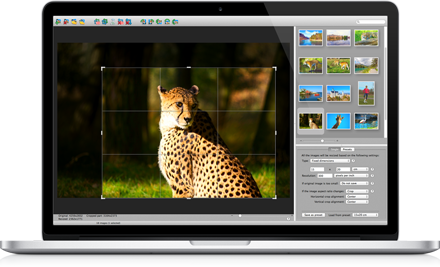
Resize, Crop, Convert Many Images

IMPORTANT: Resize Sense evolves into iBatch
Meet the new app generation! Renamed to iBatch because it can now do much more than just resizing.
Resize Sense is not supported any more. It can malfunction on modern macOS versions.
Resize Sense is a flexible batch image processing utility for Mac. Eliminate hours of tedious work needed to resize, crop, straighten, rotate, flip, and rename many images! Edit IPTC and even EXIF metadata in multiple images at a time.
Whether you have strict size requirements for a web / graphics design project, or just wish to make many pictures smaller for social media or e-mail, Resize Sense will get the job done quickly and easily. Save your settings as presets, and next times it will take even less time!
What is so flexible, convenient, and unique about Resize Sense?
Powerful Batch Processing
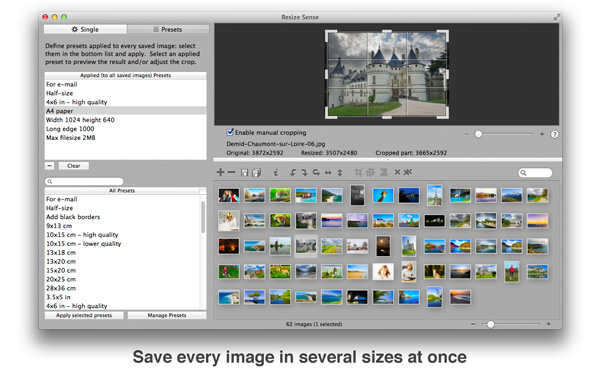
Just an example. You can easily resize hundreds of images, each one to several different sizes, and save every size in its own image format, with its own filename pattern. All this in a single batch operation, in a few minutes!
However, you do not need to perform complex automation to enjoy the unique flexibility offered by Resize Sense. You will also feel it when doing casual image processing.
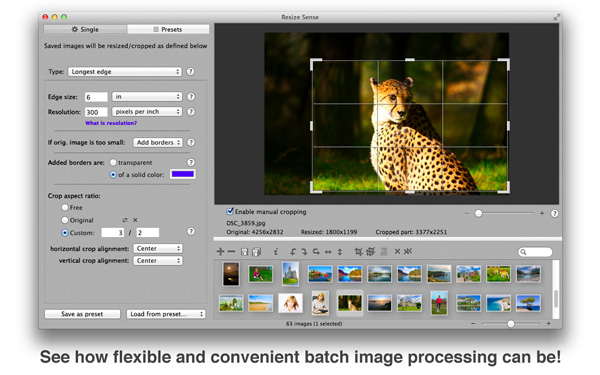
Advanced Resizing Modes
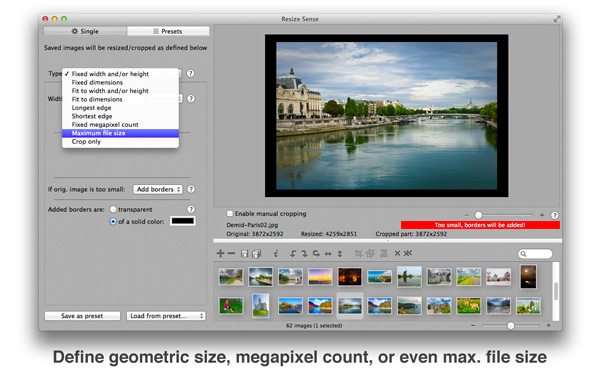
Resize Sense handles any resizing and cropping need with ease:
- Define the exact required dimensions
- Fit the original image inside a box
- Specify the longest or shortest edge
- Define the required megapixel count
- Limit the output file size in bytes
- Only crop without resizing
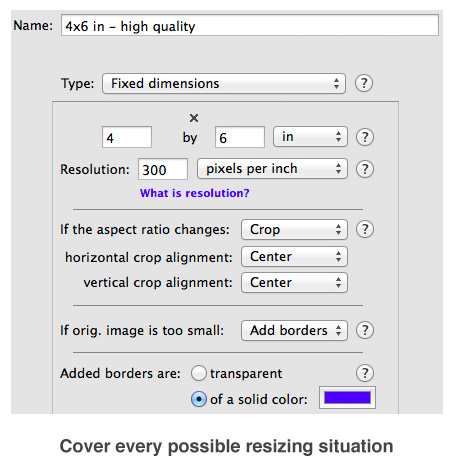
Aspect Ratio Control
Resize Sense lets you decide what to do if the image aspect ratio changes, prompting you to crop, deform, or add borders. And if the image is too small for the requested size, Resize Sense can enlarge, extend the canvas, keep the original, or skip this image.
Live Preview
Resize Sense provides a live final image preview. You get instant feedback on how the final image will look after cropping, extending with borders, distorting, etc.
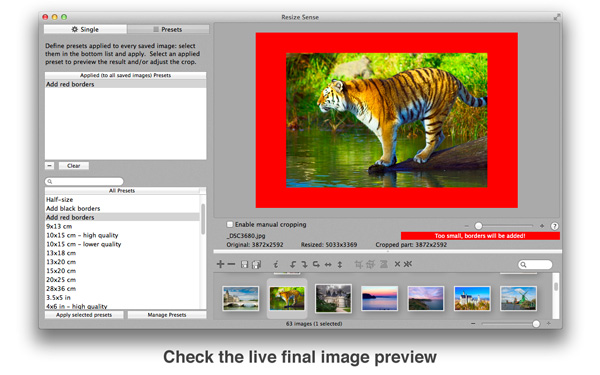
Manual Crop & Straighten in Batch
Resize Sense makes it possible to combine batch operation with manual cropping and straightening. You can crop and straighten any image manually, and the cropped part will be resized as required. Everything in a single operation! Most other batch image resizers would, at best, allow you to align the crop rectangle automatically, without any manual control.
Moreover, with Resize Sense you can synchronize the crop & straighten settings between images, making it possible to bulk-crop many images manually!
Reusable Presets
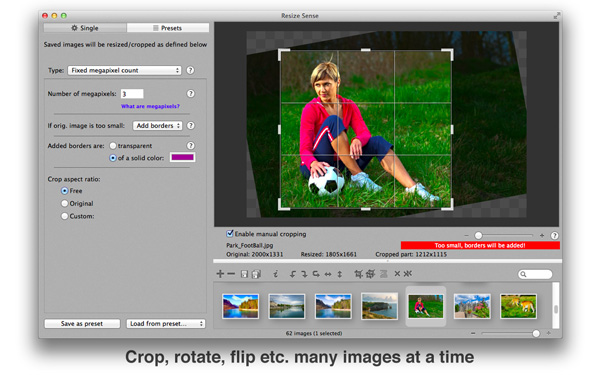
With Resize Sense, you never need to enter the same configuration twice! Just save your size configurations, as well as output settings (file naming and format), as custom presets.
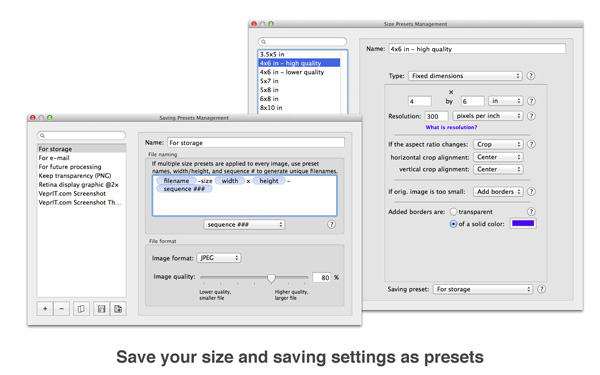
Export to Multiple Sizes at Once
With the custom size presets defined, you can save every image in several sizes at once! Moreover, using custom saving presets, you can even save every size in its own file format and with its own filename pattern!
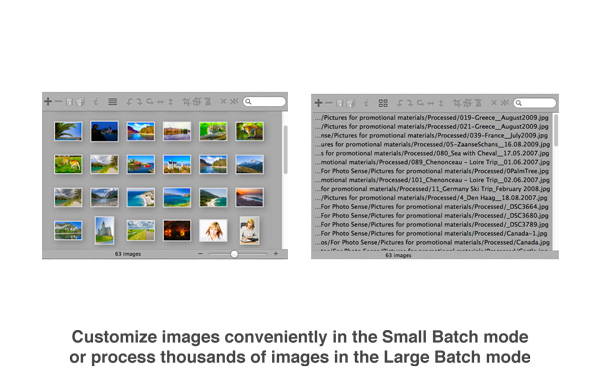
Small and Large Batch Modes
Resize Sense supports the Small and Large Batch modes. The former is convenient when working with relatively few images and performing many customizations (manual crop, rotation, etc.). The latter is suitable when processing thousands of images.
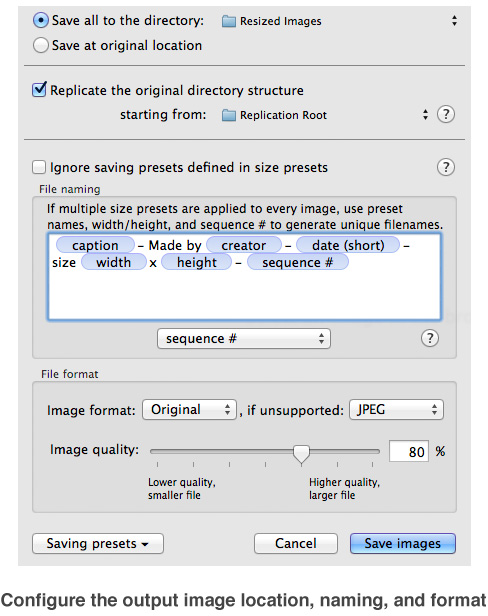
Flexible Output Options
Even the basic act of saving your work is highly configurable. You can save into a single output folder or at the original locations. Replicate the original directory structure if needed. Use image information such as size and metadata in the generated filenames. And of course, you can choose the output image format, define JPEG quality, etc.
System Requirements
Resize Sense runs on macOS 10.9 (Mavericks) or later.
See version history for older versions that can run on previous macOS versions.