
We all have thousands of photos and videos sitting on our iPhones and iPads. While you could share them one-by-one, creating an animated photo slideshow is a much better way to showcase your memories. You could build one using a standard mobile video editor, but that takes time and patience. SlideFlow, a dedicated slideshow maker for iOS and iPadOS, turns your camera roll into stunning, animated videos in seconds—with zero editing skills required.
Why Create Animated Photo Slideshows?
Handing someone your phone to swipe through dozens of still images rarely captures the excitement of the actual moment. To truly grab attention—whether you are dropping an update in a family group chat or posting to Instagram and TikTok—your memories need motion.
Rather than relying on flat images, SlideFlow injects kinetic energy into your iPhone or iPad camera roll. By automatically applying fluid cuts and smart pan-and-zoom effects, it transforms everyday snapshots into a polished, scroll-stopping video. You get a high-quality, shareable story generated instantly, right from your touchscreen.
SlideFlow vs. Mobile Video Editors
You can certainly build slideshows using mobile video editors like CapCut, iMovie, or the built-in tools on Instagram and TikTok. However, manually trimming clips, syncing music, and setting animations on a touch screen can be incredibly tedious. Alternatively, Apple’s built-in “Memories” feature is automatic but gives you almost no creative control.
SlideFlow gives you the best of both worlds. Just select your media, and your animated slideshow is generated instantly. If you want to make changes, SlideFlow’s intuitive interface makes it easy to swap the music, adjust the pacing, or change the transitions, whether for the entire video or just a few specific photos.
Make Animated Photo Slideshows on iPhone or iPad with SlideFlow
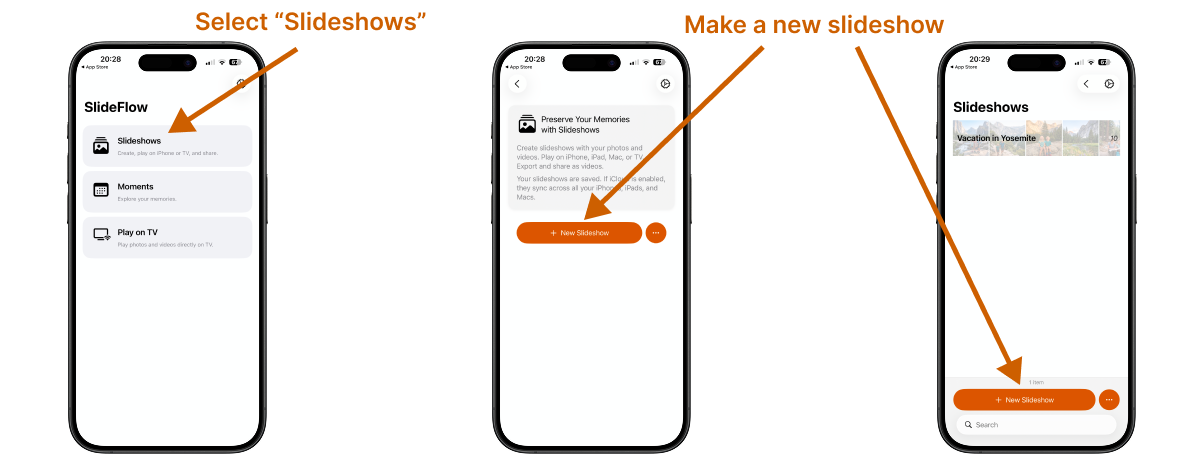
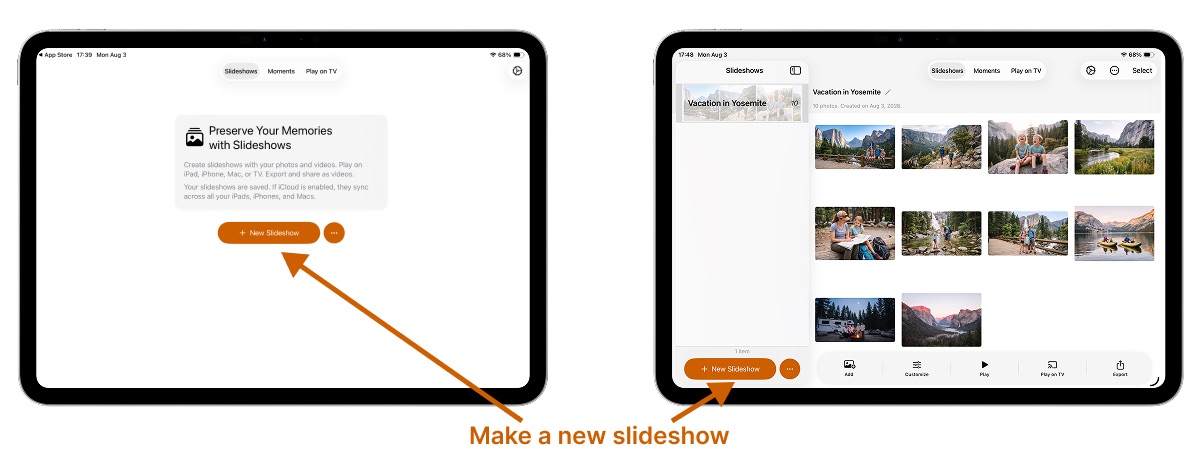
1. Make a new slideshow
Open the app, select Slideshows, and tap New Slideshow.
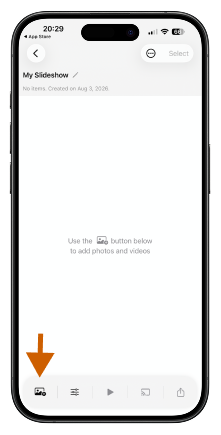
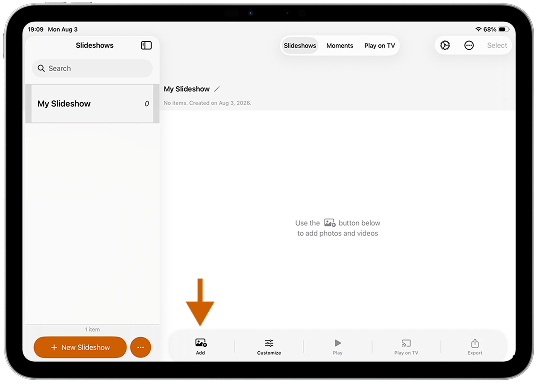
2. Select your photos and videos
Choose your favorite moments directly from your Apple Photos library or the Files app. You can easily mix photos and video clips together. The two sources aren’t quite equivalent, though—Photos library vs. files explains what each one gives you.
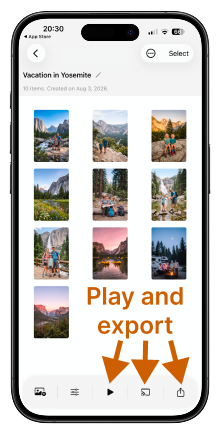
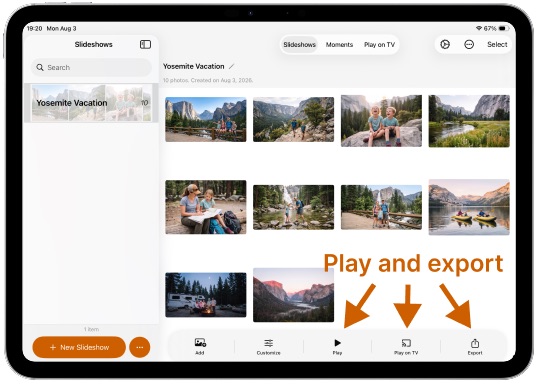
3. Play or export your video
Your slideshow is ready! You can play it immediately on your iPhone or iPad, cast it to a compatible DLNA TV, or export it as a standard video file that plays on any reasonably modern device. SlideFlow lets you choose the perfect aspect ratio—like vertical (9:16) or square (1:1) for Instagram Reels and TikTok, or horizontal (16:9) for YouTube and viewing on TV.
When playing on an iPhone, iPad, or TV, SlideFlow generates your slideshow on the fly, meaning the show starts almost immediately—no frustratingly long wait times like you get with other slideshow makers!
Casting needs nothing more than a DLNA TV on the same network as your iPhone or iPad: connecting SlideFlow to your TV covers the setup, and what to check if your television doesn’t turn up in the list. You don’t need a slideshow to use the TV either— SlideFlow can cast single photos and videos on the big screen, with the device in your hand as the remote.
4. Optional: customize your slideshow
SlideFlow’s smart default settings and built-in music library are designed to produce beautiful, varied slideshows instantly. Most of the time, simply selecting your photos is all you need to do.
However, when you want to get creative, you can easily dive into the settings. Add tracks from your own music library, tweak the animation styles, or adjust the duration of the entire slideshow or specific clips with just a few taps. Music files you add go into a shared My Music library that syncs over iCloud, so a track added once is ready for every slideshow, on all your devices. Our guide on customizing slideshow settings walks through every setting, and there are dedicated guides for music, transitions, and creative filters.
Making a slideshow by hand isn’t the only way, either: SlideFlow can build slideshows for you—from a date range of your Photos library, from an album, or even from folders and files.
Final slideshow video
Here is an example of a vertical slideshow video created using SlideFlow:
(Note: SlideFlow is a universal app! If you prefer working on a bigger screen, all of these features are also available in the Mac version— and the slideshow you just made syncs there over iCloud. More questions are answered in the SlideFlow FAQ).